




 English
 Русский
 简体中文
简体中文 한국어
한국어 Tiếng Việt
 Türkçe
 Français
 Deutsch
 Español
 Polski
 繁體中文
繁體中文 日本語
日本語 العربية
 Português (Brasil)
Propose a missing doctrine
A doctrine the site is missing? Give its exact name and what it does; Amya verifies before it goes in.

Spot something the site is missing? Fill it in one tap, or propose a whole new unit or doctrine.
Amya checks every answer before it goes on the site, so a wrong guess never sticks, and the people who help most are credited on the contributors board. Sign in with Discord to suggest a value; browsing what needs filling is open to everyone.
A doctrine the site is missing? Give its exact name and what it does; Amya verifies before it goes in.
Know a unit the site does not have yet? Tell us what you know and Amya adds it.
Nothing matches that. Clear the search or pick another filter.
Tap every formation this unit can use in-game. Type any the list does not offer.
Tap every formation this unit can use in-game. Type any the list does not offer.
Paste a link to this unit's portrait art (Discord, imgur, the wiki). Amya downloads it and adds it to the site.
Paste a link to this unit's portrait art (Discord, imgur, the wiki). Amya downloads it and adds it to the site.

Word each tier as the in-game season challenge screen shows it. (Season XXIV, Sacrum Romanum.)
Word each tier as the in-game season challenge screen shows it. (Season XXIII, Dynasty Awakening.)
Word each tier as the in-game season challenge screen shows it. (Season XXIII, Dynasty Awakening.)
Word each tier as the in-game season challenge screen shows it. (Season XXII, Silla.)
Word each tier as the in-game season challenge screen shows it. (Season XXV, Roses.)
Word each tier as the in-game season challenge screen shows it. (Season XXIV, Sacrum Romanum.)

Word each tier as the in-game season challenge screen shows it. (Season XXIII, Dynasty Awakening.)
Word each tier as the in-game season challenge screen shows it. (Season XV, Sengoku.)
Word each tier as the in-game season challenge screen shows it. (Season XXV, Roses.)
Word each tier as the in-game season challenge screen shows it. (Season XXII, Silla.)
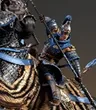
Word each tier as the in-game season challenge screen shows it. (Season XXVII, Chaos.)
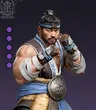
Word each tier as the in-game season challenge screen shows it. (Season XXII, Silla.)
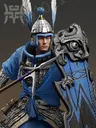
Word each tier as the in-game season challenge screen shows it. (Season XXVII, Chaos.)
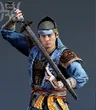
Word each tier as the in-game season challenge screen shows it. (Season XXVII, Chaos.)
Word each tier as the in-game season challenge screen shows it. (Season XXV, Roses.)
Word each tier as the in-game season challenge screen shows it. (Season XXIV, Sacrum Romanum.)
Straight off the in-game unit card. Amya checks these before they go in.
Straight off the in-game unit card. Amya checks these before they go in.
Straight off the in-game unit card. Amya checks these before they go in.

Straight off the in-game unit card. Amya checks these before they go in.
List each stat line and its number from the in-game unit card, one per line (for example: Health 3200, Piercing Damage 240, Blunt Defence 180). Amya double-checks these before they go in.
List each stat line and its number from the in-game unit card, one per line (for example: Health 3200, Piercing Damage 240, Blunt Defence 180). Amya double-checks these before they go in.
List each stat line and its number from the in-game unit card, one per line (for example: Health 3200, Piercing Damage 240, Blunt Defence 180). Amya double-checks these before they go in.
List each stat line and its number from the in-game unit card, one per line (for example: Health 3200, Piercing Damage 240, Blunt Defence 180). Amya double-checks these before they go in.
List each stat line and its number from the in-game unit card, one per line (for example: Health 3200, Piercing Damage 240, Blunt Defence 180). Amya double-checks these before they go in.
Names as the game spells them, with the rarity if you know it. (Season I, Wrath of the Nomads.)
Names as the game spells them, with the rarity if you know it. (Season I, Wrath of the Nomads.)
Names as the game spells them, with the rarity if you know it. (Season I, Wrath of the Nomads.)

Names as the game spells them, with the rarity if you know it. (Season I, Wrath of the Nomads.)
Names as the game spells them, with the rarity if you know it. (Season XXVII, Chaos.)

Names as the game spells them, with the rarity if you know it. (Season I, Wrath of the Nomads.)
Names as the game spells them, with the rarity if you know it. (Season XXVII, Chaos.)
Names as the game spells them, with the rarity if you know it. (Season XXVII, Chaos.)
In the order the tree unlocks them. Amya checks these before they go in.
In the order the tree unlocks them. Amya checks these before they go in.
In the order the tree unlocks them. Amya checks these before they go in.
Open this weapon’s "Bonus attribute cap comparison" screen and copy the TOP (legendary) block: each bonus stat and its max. Amya checks these before they go in.
Open this weapon’s "Bonus attribute cap comparison" screen and copy the TOP (legendary) block: each bonus stat and its max. Amya checks these before they go in.
Open this weapon’s "Bonus attribute cap comparison" screen and copy the TOP (legendary) block: each bonus stat and its max. Amya checks these before they go in.
Open this weapon’s "Bonus attribute cap comparison" screen and copy the TOP (legendary) block: each bonus stat and its max. Amya checks these before they go in.
Open this weapon’s "Bonus attribute cap comparison" screen and copy the TOP (legendary) block: each bonus stat and its max. Amya checks these before they go in.
Open this weapon’s "Bonus attribute cap comparison" screen and copy the TOP (legendary) block: each bonus stat and its max. Amya checks these before they go in.
Open this weapon’s "Bonus attribute cap comparison" screen and copy the TOP (legendary) block: each bonus stat and its max. Amya checks these before they go in.
Open this weapon’s "Bonus attribute cap comparison" screen and copy the TOP (legendary) block: each bonus stat and its max. Amya checks these before they go in.
Open this weapon’s "Bonus attribute cap comparison" screen and copy the TOP (legendary) block: each bonus stat and its max. Amya checks these before they go in.
Open this weapon’s "Bonus attribute cap comparison" screen and copy the TOP (legendary) block: each bonus stat and its max. Amya checks these before they go in.
Open this weapon’s "Bonus attribute cap comparison" screen and copy the TOP (legendary) block: each bonus stat and its max. Amya checks these before they go in.
Open this weapon’s "Bonus attribute cap comparison" screen and copy the TOP (legendary) block: each bonus stat and its max. Amya checks these before they go in.
Open this weapon’s "Bonus attribute cap comparison" screen and copy the TOP (legendary) block: each bonus stat and its max. Amya checks these before they go in.
Open this weapon’s "Bonus attribute cap comparison" screen and copy the TOP (legendary) block: each bonus stat and its max. Amya checks these before they go in.
Open this weapon’s "Bonus attribute cap comparison" screen and copy the TOP (legendary) block: each bonus stat and its max. Amya checks these before they go in.
Open this weapon’s "Bonus attribute cap comparison" screen and copy the TOP (legendary) block: each bonus stat and its max. Amya checks these before they go in.
Open this weapon’s "Bonus attribute cap comparison" screen and copy the TOP (legendary) block: each bonus stat and its max. Amya checks these before they go in.
Open this weapon’s "Bonus attribute cap comparison" screen and copy the TOP (legendary) block: each bonus stat and its max. Amya checks these before they go in.
Open this weapon’s "Bonus attribute cap comparison" screen and copy the TOP (legendary) block: each bonus stat and its max. Amya checks these before they go in.
Open this weapon’s "Bonus attribute cap comparison" screen and copy the TOP (legendary) block: each bonus stat and its max. Amya checks these before they go in.
Open this weapon’s "Bonus attribute cap comparison" screen and copy the TOP (legendary) block: each bonus stat and its max. Amya checks these before they go in.
Open this weapon’s "Bonus attribute cap comparison" screen and copy the TOP (legendary) block: each bonus stat and its max. Amya checks these before they go in.
As the in-game Smith shows it for this set.
Paste a link to this doctrine’s icon (a clean crop of the in-game icon). Amya adds the file.
Paste a link to this doctrine’s icon (a clean crop of the in-game icon). Amya adds the file.
Paste a link to this doctrine’s icon (a clean crop of the in-game icon). Amya adds the file.

The site has 3 of this doctrine's effect lines. Word each missing one exactly as the in-game doctrine card shows it.

The site has 3 of this doctrine's effect lines. Word each missing one exactly as the in-game doctrine card shows it.

The site has 3 of this doctrine's effect lines. Word each missing one exactly as the in-game doctrine card shows it.

The site has 3 of this doctrine's effect lines. Word each missing one exactly as the in-game doctrine card shows it.

The site has 3 of this doctrine's effect lines. Word each missing one exactly as the in-game doctrine card shows it.

The site has 3 of this doctrine's effect lines. Word each missing one exactly as the in-game doctrine card shows it.
List the unit types or units this doctrine can be equipped on, one per line, from the in-game doctrine screen.
Paste a link to a clean overhead screenshot of this map. Without one it cannot be picked in the War Room or the Strategy Maker at all.
Tap every rotation this map appears in. Type any mode the list does not offer.
Tap every rotation this map appears in. Type any mode the list does not offer.
Tap every rotation this map appears in. Type any mode the list does not offer.
Tap every rotation this map appears in. Type any mode the list does not offer.
Tap every rotation this map appears in. Type any mode the list does not offer.
The word the GAME itself uses for "Mastery" when the client is set to Russian. Not a translation: the in-game word, typed exactly.
The word the GAME itself uses for "Veterancy" when the client is set to Russian. Not a translation: the in-game word, typed exactly.
The word the GAME itself uses for "Mastery" when the client is set to Vietnamese. Not a translation: the in-game word, typed exactly.
Paste a link to this resource's in-game icon (a clean crop; Discord or imgur links work). Amya downloads it and adds the file.
Paste a link to this resource's in-game icon (a clean crop; Discord or imgur links work). Amya downloads it and adds the file.
Paste a link to this resource's in-game icon (a clean crop; Discord or imgur links work). Amya downloads it and adds the file.
Paste a link to this resource's in-game icon (a clean crop; Discord or imgur links work). Amya downloads it and adds the file.
Paste a link to this resource's in-game icon (a clean crop; Discord or imgur links work). Amya downloads it and adds the file.
Paste a link to this resource's in-game icon (a clean crop; Discord or imgur links work). Amya downloads it and adds the file.
Paste a link to this resource's in-game icon (a clean crop; Discord or imgur links work). Amya downloads it and adds the file.
Paste a link to this item's in-game icon (a clean crop; Discord or imgur links work). Amya downloads it and adds the file.
Paste a link to this resource's in-game icon (a clean crop; Discord or imgur links work). Amya downloads it and adds the file.
Paste a link to this item's in-game icon (a clean crop; Discord or imgur links work). Amya downloads it and adds the file.
Paste a link to this item's in-game icon (a clean crop; Discord or imgur links work). Amya downloads it and adds the file.
Paste a link to this resource's in-game icon (a clean crop; Discord or imgur links work). Amya downloads it and adds the file.
Paste a link to this item's in-game icon (a clean crop; Discord or imgur links work). Amya downloads it and adds the file.
Paste a link to this resource's in-game icon (a clean crop; Discord or imgur links work). Amya downloads it and adds the file.
Paste a link to this resource's in-game icon (a clean crop; Discord or imgur links work). Amya downloads it and adds the file.
Paste a link to this item's in-game icon (a clean crop; Discord or imgur links work). Amya downloads it and adds the file.
Paste a link to this resource's in-game icon (a clean crop; Discord or imgur links work). Amya downloads it and adds the file.
Paste a link to this item's in-game icon (a clean crop; Discord or imgur links work). Amya downloads it and adds the file.
Paste a link to this item's in-game icon (a clean crop; Discord or imgur links work). Amya downloads it and adds the file.
Paste a link to this resource's in-game icon (a clean crop; Discord or imgur links work). Amya downloads it and adds the file.
Paste a link to this resource's in-game icon (a clean crop; Discord or imgur links work). Amya downloads it and adds the file.
Paste a link to this item's in-game icon (a clean crop; Discord or imgur links work). Amya downloads it and adds the file.
Paste a link to this resource's in-game icon (a clean crop; Discord or imgur links work). Amya downloads it and adds the file.
Paste a link to this resource's in-game icon (a clean crop; Discord or imgur links work). Amya downloads it and adds the file.
Paste a link to this resource's in-game icon (a clean crop; Discord or imgur links work). Amya downloads it and adds the file.
Paste a link to this item's in-game icon (a clean crop; Discord or imgur links work). Amya downloads it and adds the file.
Paste a link to this item's in-game icon (a clean crop; Discord or imgur links work). Amya downloads it and adds the file.
Paste a link to this resource's in-game icon (a clean crop; Discord or imgur links work). Amya downloads it and adds the file.
Paste a link to this item's in-game icon (a clean crop; Discord or imgur links work). Amya downloads it and adds the file.
Paste a link to this resource's in-game icon (a clean crop; Discord or imgur links work). Amya downloads it and adds the file.
Paste a link to this resource's in-game icon (a clean crop; Discord or imgur links work). Amya downloads it and adds the file.
Paste a link to this item's in-game icon (a clean crop; Discord or imgur links work). Amya downloads it and adds the file.
Paste a link to this item's in-game icon (a clean crop; Discord or imgur links work). Amya downloads it and adds the file.
Paste a link to this item's in-game icon (a clean crop; Discord or imgur links work). Amya downloads it and adds the file.
Paste a link to this item's in-game icon (a clean crop; Discord or imgur links work). Amya downloads it and adds the file.
Paste a link to this item's in-game icon (a clean crop; Discord or imgur links work). Amya downloads it and adds the file.
Paste a link to this item's in-game icon (a clean crop; Discord or imgur links work). Amya downloads it and adds the file.
Paste a link to this resource's in-game icon (a clean crop; Discord or imgur links work). Amya downloads it and adds the file.
Paste a link to this resource's in-game icon (a clean crop; Discord or imgur links work). Amya downloads it and adds the file.
Paste a link to this resource's in-game icon (a clean crop; Discord or imgur links work). Amya downloads it and adds the file.
Paste a link to this resource's in-game icon (a clean crop; Discord or imgur links work). Amya downloads it and adds the file.
Paste a link to this item's in-game icon (a clean crop; Discord or imgur links work). Amya downloads it and adds the file.
Paste a link to this item's in-game icon (a clean crop; Discord or imgur links work). Amya downloads it and adds the file.
Paste a link to this item's in-game icon (a clean crop; Discord or imgur links work). Amya downloads it and adds the file.
Paste a link to this item's in-game icon (a clean crop; Discord or imgur links work). Amya downloads it and adds the file.
All filledNothing is waiting for a value right now. Thank you. Check back after the next patch.
Loading…
Loading…